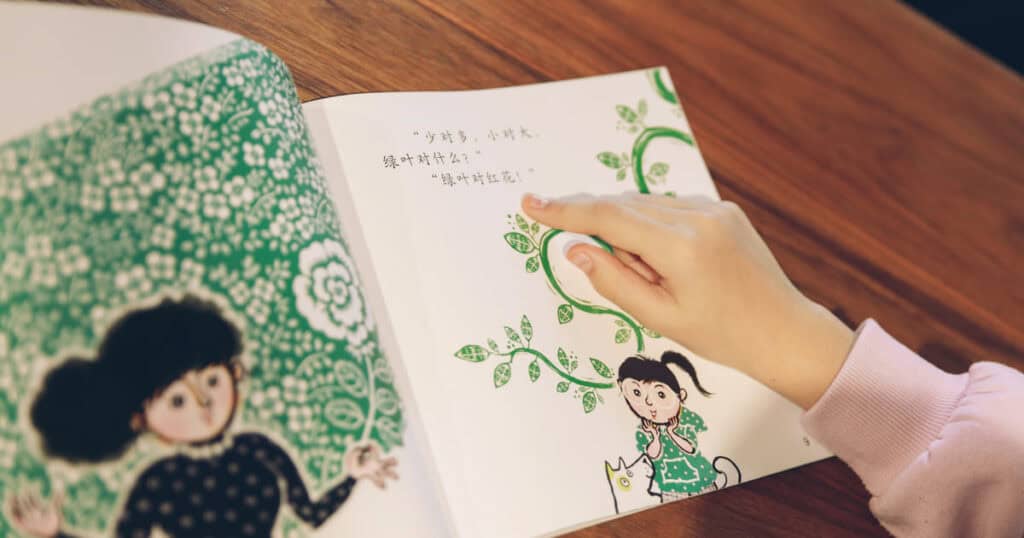
As Chinese language teachers, we often get asked: “Which app should my child use between classes?” It is a question without a simple answer, because what works depends on your child’s background, personality, and how they learn best. A heritage speaker who already understands spoken Mandarin needs a completely different tool from a child hearing Chinese for the first time.
We tested each of the apps below with our teaching team and evaluated them from one specific angle: how well do they work as a supplement to structured learning? Apps do not replace a teacher, but they can be a great practice tool between classes.
Here is what we found, sorted by learner type.
Best Chinese Apps for Non-Heritage Kids
These apps use an English interface and assume no prior Chinese knowledge. They focus on listening, spoken vocabulary, and pronunciation — the skills a beginner needs first.
Learn Chinese – Studycat
Ages 3–8 · Subscription-based with free trial
iOS download | Android download

Studycat has been around since 2000 and focuses on early language learning. It teaches through short, game-based lessons organized around everyday themes — animals, colors, food, numbers, greetings, family etc. Everything is delivered entirely in Chinese, with no English translation. The app covers around 150 words and phrases across 11 themed units, with each activity lasting just a few minutes.
What works: The voice recognition feature gets children to say words out loud rather than just tapping the screen. The immersive Chinese-only approach mirrors how children pick up their first language. The app is ad-free, kidSAFE-listed, works offline, and includes progress tracking so parents can see what was covered.
What to be aware of: 150 words is not a lot, a motivated child can exhaust the content in a few months. Multiple App Store reviewers have noted that new themes have not been added frequently in recent years. There is no grammar or sentence structure; this is purely vocabulary and pronunciation. The cost relative to the amount of content is high compared to apps aimed at older learners.
Best for: Children aged 3–6 who have never heard Mandarin before and need a low-pressure starting point. Think of it as a short-term confidence builder before transitioning to structured lessons.
Chineasy — Learn Chinese Easily
Ages 5+ · Subscription-based, with a free version available
iOS download | Android download

Chineasy is built around a “building block” method: each character is linked to an illustration that mirrors its shape or meaning (for example, 火 as a campfire, 山 as mountains). Children learn individual characters first, then combine them into words, phrases, and sentences. The app covers around 2,500 words and supports both simplified and traditional Chinese.
What works: The visual method is clever for basic characters and works well for children who struggle with rote memorization — seeing a picture embedded in the character can be the thing that makes it stick. The game-based journey with 600+ bite-sized levels keeps motivation up. The companion physical product, Chineasy Tiles, offers a screen-free way to practice. The Chineasy for Children book (sold separately) covers 100 characters specifically designed for younger readers.
What to be aware of: Chineasy is not specifically designed for children. It is a general learning app with a visual style that happens to appeal to younger users. The app itself assumes adult-level navigation. The pictographic approach becomes increasingly abstract as characters grow more complex; not every character has a natural visual hook, and learners can become dependent on the illustrations rather than developing independent recognition.
Best for: Visual learners aged 5+ from any background who respond to pictures and patterns rather than repetition-based learning.
HelloChinese
Ages 8+ · Free with premium subscription
iOS download | Android download
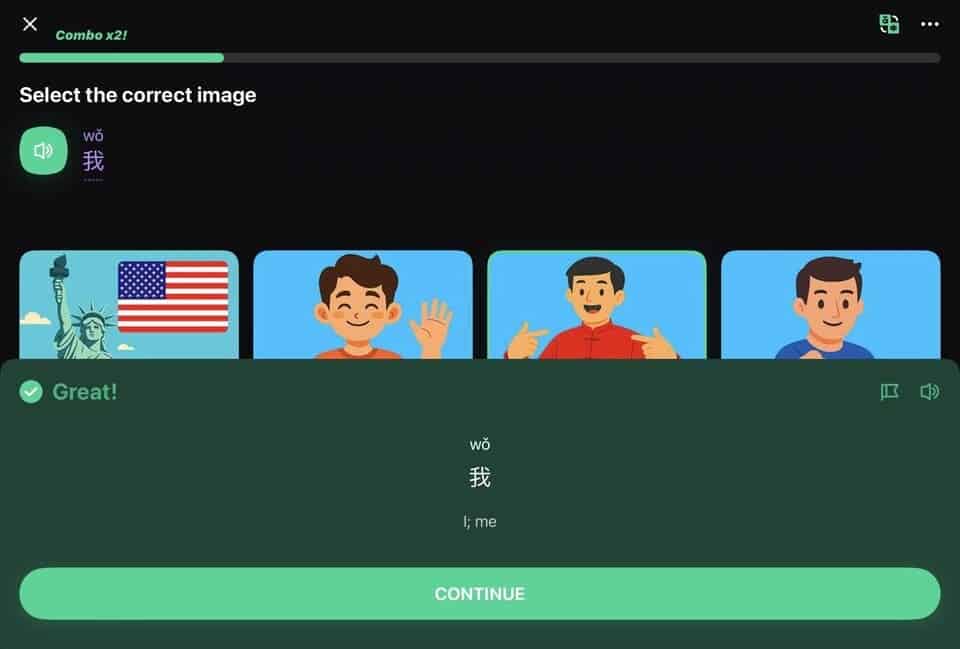
HelloChinese is a Mandarin-specific self-study app with over 10 million downloads. It teaches Pinyin, character writing, vocabulary, and practical grammar through short, gamified lessons. It was built from the ground up for Chinese, which means tones, stroke order, and measure words are core parts of the curriculum. The app supports both simplified and traditional characters.
What works: The tone training and speech recognition performed well in our testing. Grammar explanations are clear and contextual. Over 1,000 graded stories and 2,000+ native speaker videos provide more real-language exposure. Courses can be downloaded for offline use.
What to be aware of: This is not a children’s app. The interface is text-heavy with no cartoon characters or game-world rewards, children under 8 will likely lose interest. Writing practice is a weakness, the exercises mainly involve tracing shapes and are not reviewed afterward, so learners tend to forget them. The free version is quite limited; meaningful progress requires the Premium subscription. The content ceiling is around 1,000 words (roughly HSK 4), after which learners need other resources.
Best for: Older children (8+) and parents learning alongside them. Works well as a practice companion to structured lessons for non-heritage families.
ChineseSkill: Learn Chinese
Ages 8+ · Free with premium subscription
iOS download | Android download
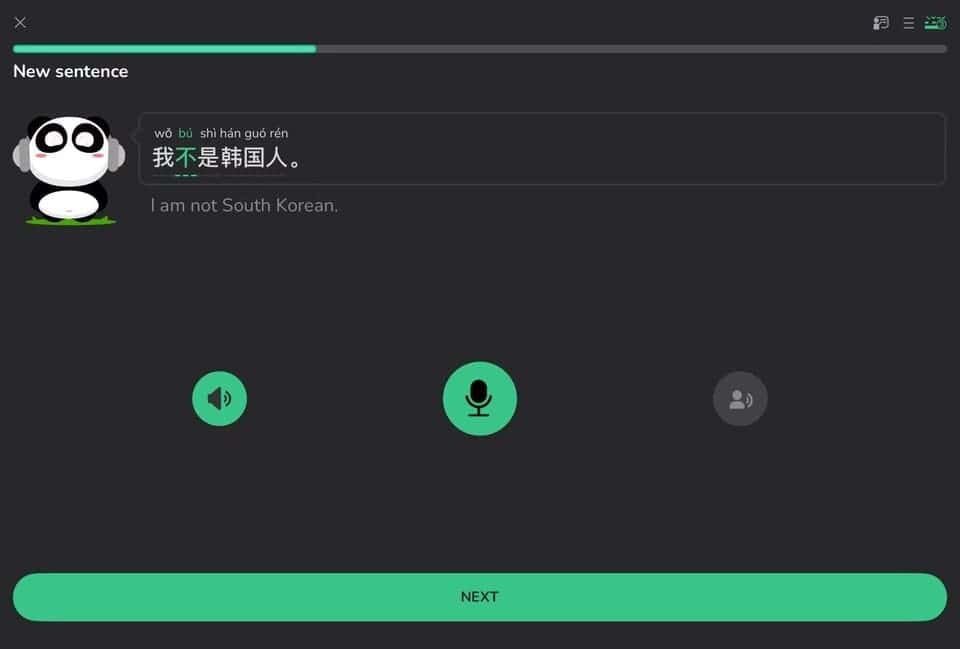
ChineseSkill is a gamified Chinese learning app. The Main Course contains 75 units structured as a path toward HSK 4-level fluency, with each unit including grammar notes, short lessons, dialogue practice, and speaking exercises.
What works: The app is accessible for both beginners and intermediate learners. The Tone Training feature helps learners hear the difference between tones. HSK Word Bank and Character Bank cover levels 1–9, which is useful for test preparation. Grammar is covered more actively than in many similar apps: learners practise building sentences, spotting errors, and swapping words to create new patterns. The free tier is generous enough to give a real sense of progress before hitting a paywall.
What to be aware of: This is a general-audience app, not designed for children — the interface is text-based and requires independent reading ability. The pinyin course and character drills are tucked away in the “Panda’s Toolbox” section rather than placed in the main learning path, even though both are important for Chinese learners. And the topic-based curriculum can lead to an uneven learning order.
Best for: Older children and teens (8+) who prefer short, game-based Chinese lessons with a generous free tier.
Duolingo
Ages 10+ · Free with optional Super subscription
iOS download | Android download

Duolingo is one of the most widely used language apps in the world, and its Chinese course is free, which makes it an easy starting point. There are streaks, XP, and cartoon characters, and if your child likes it, it will help them build vocabulary and basic sentence patterns daily through repetition.
What works: The step-by-step learning path with grammar guidebooks at the start of each unit provides clear structure. Built-in radical learning helps learners recognize the meaning behind character components. The bite-sized lesson format fits into short free moments, and the streak system motivates daily practice.
What to be aware of: We have seen students arrive at lessons with Duolingo streaks of 100+ days who still cannot hold a basic conversation. The app builds pattern recognition on screen but not communicative ability. Its Chinese course lacks the depth of Mandarin-specific apps, particularly around tones and grammar explanation.
Best for: Children who are already using Duolingo for another language and want to add Chinese. If you are choosing an app specifically for Chinese, the options above go deeper.
Best Chinese Apps for Heritage Kids — Building Character Literacy
These apps are designed for children who already understand spoken Chinese to some degree — typically kids in Chinese-speaking families overseas. The focus shifts from “what does this word mean?” to “can you recognize, read, and write this character?”
Best for families where at least one parent reads Chinese and wants the child to build character literacy systematically.
洪恩识字 (iHuman Chinese)
Ages 3–8 · Subscription-based, with free trial
iOS download | Android download
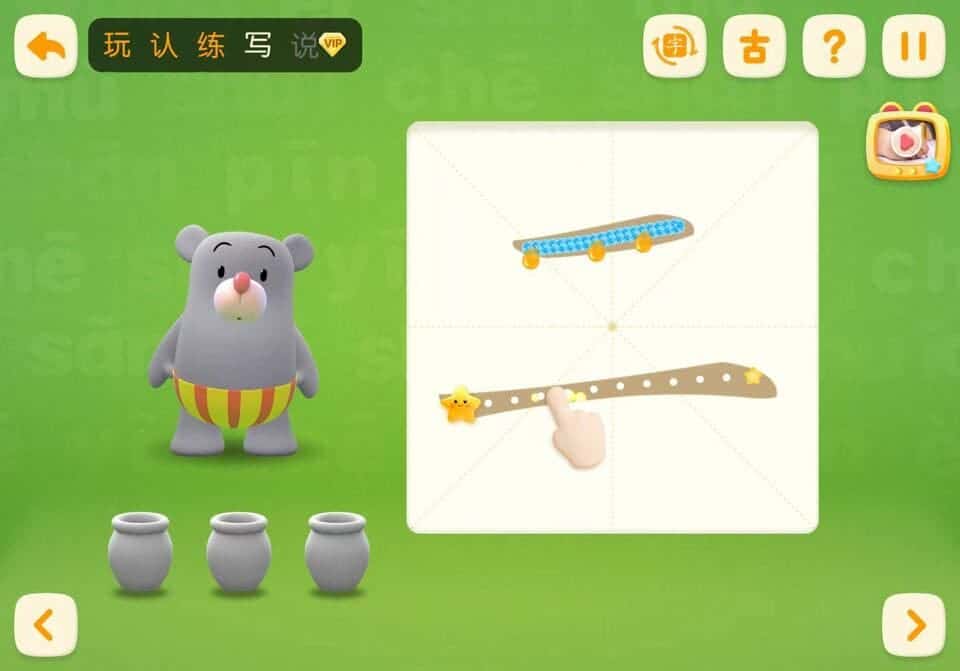
洪恩识字 (iHuman Chinese) is designed for children who already understand spoken Mandarin and are ready to start recognizing characters. The Chinese-language version covers 1,800 characters; the international English-language version (listed as “iHuman Chinese” on overseas app stores) covers 1,300. The app follows a five-step cycle — Play, Recognize, Practice, Write, and Speak (玩、认、练、写、说) — using animated stories that show how each character evolved from its pictographic origins.
What works: 130 leveled picture books (each using only characters the child has already learned), AI-powered stroke correction, and 50 idiom videos that go beyond single characters into cultural context. The spaced repetition system prevents skipping ahead without demonstrated retention. A 2026 update added primary school textbook alignment (部编版). Several parent-educators who published detailed usage guides, report noticeable improvement in character recognition with 10–15 minutes of daily use alongside classroom learning.
What to be aware of: The entire interface is in Chinese. To unlock settings or skip sections, you need to enter four Chinese number characters — a small detail that has confused many non-Chinese-reading parents. Multiple reviewers have noted that the game elements can be distracting. Some games cannot be turned off, and children can exit the learning process at any stage, which means some children play the games but skip the recognition, practice, and writing steps. Adjusting the learning settings (学习设置 → 教学环节) to disable skipping can help.
Best for: Heritage families where at least one parent reads Chinese and wants the child to build character literacy systematically. Not suitable for families where no one reads Chinese.
悟空识字
Ages 3–8 · Subscription-based, with free trial
iOS download | Android download
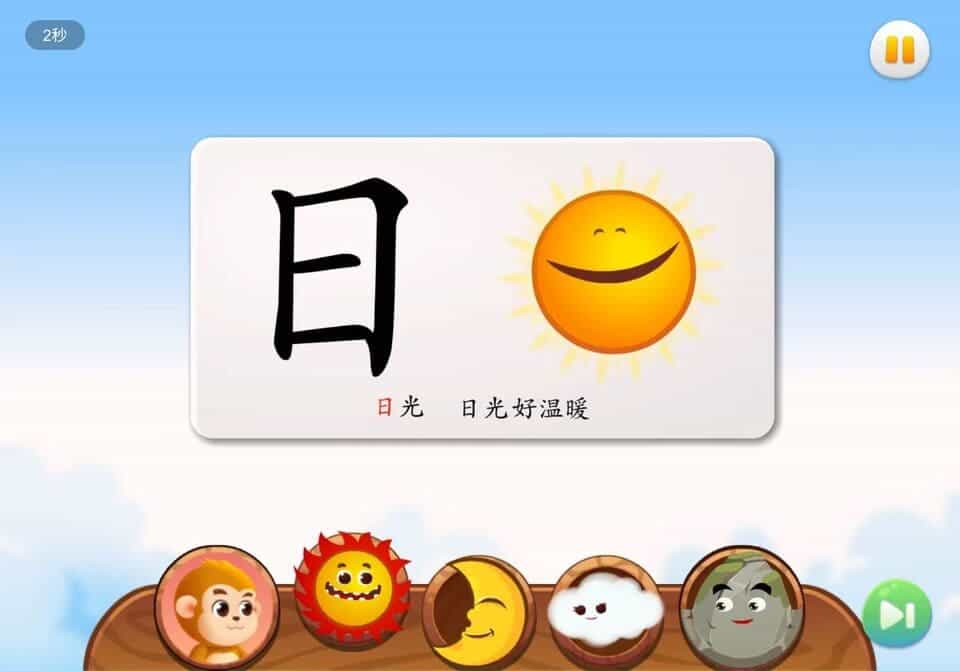
悟空识字 uses the Journey to the West story as its framework — children travel through 15 scenes with the Monkey King, learning 1,200 characters and 5,000+ words along the way. Each day unlocks one lesson of about 10 minutes, encouraging a daily habit without overuse.
What works: The Journey to the West theme works as a practical advantage — children who already know these characters from cartoons or picture books have built-in motivation. The enforced daily pacing (one lesson, ~10 minutes) prevents the “binge then abandon” pattern we see with other apps. 75 leveled readers use only characters already learned, reinforcing recognition through reading.
What to be aware of: The character count (1,200) is smaller than 洪恩识字’s 1,300–1,800 (depending on version). Several overseas parents have reported that the speech recognition can be slow or unreliable outside China due to server location. The interface is entirely in Chinese, and Android downloads outside China may require the 应用宝 app store rather than Google Play. iOS downloads work in most regions.
Best for: Heritage families looking for an affordable literacy app with a story-driven framework their child already enjoys.
宝宝巴士汉字
Ages 3–8 · Subscription-based
iOS download | Android download

宝宝巴士汉字 is a character literacy app from BabyBus, designed for children who already understand spoken Mandarin. The app covers 1,440 high-frequency characters through a five-step cycle — Recognise, Remember, Write, Read, Practise (认、记、写、读、练) — using a pictographic method that links each character’s shape to a real-world object.
What works: The content library is large: 1,440 characters, 5,700+ phrases, 4,300+ sentences, plus supplementary material including 133 character animations, 77 classical poems, 154 picture books, and 48 historical figure stories. Parental controls include daily learning limits, progress reports, printable flashcards, support for up to 3 child profiles, and a TV screen-casting option for eye protection. Families whose children already watch BabyBus on YouTube will find the characters and style immediately familiar.
What to be aware of: The features described above are from the Chinese-language version (宝宝巴士汉字). An overseas version called “Baby Panda: Chinese Adventure” also exists but contains far less content — search for 宝宝巴士汉字 by its Chinese name to get the full version. The gamification is strong enough that younger children sometimes spend more time on the game elements than on actual character learning; using the built-in time controls is recommended. The interface is entirely in Chinese.
Best for: Heritage families looking for a content-rich literacy app, particularly those whose children already enjoy BabyBus content.
How to Combine Apps with Real Chinese Lessons
The most effective approach we see from families:
Start with an app to build familiarity. Studycat for young beginners, 洪恩识字 for heritage learners. Let your child get comfortable hearing and recognizing Mandarin at their own pace before adding structure.
Add lessons with a teacher when they are ready. Apps cannot answer follow-up questions, adapt to a child’s personality, or catch when a child is guessing rather than understanding. A teacher can. Book a free GoEast Kids trial lesson to see how your child responds to one-on-one instruction.
Use apps for daily practice between lessons. 10–15 minutes a day keeps vocabulary fresh and reinforces what the teacher covered. ChineseSkill and HelloChinese work well for this.
Tips for parents
Every child learns differently — some thrive with game-based apps, others prefer stories or visual approaches. Let your child try a few and see which one they actually want to come back to. Keep screen time reasonable: 10–15 minutes of focused app time is more effective than 45 minutes of distracted tapping. And when you can, sit with your child for a few minutes and ask what they learned — that small moment of connection reinforces the learning more than any app feature.
Curious how GoEast Kids lessons work alongside apps?
25 minutes, no commitment.